SEO Fundamentals
canonical tag seo, canonical url seo, canonicalisation seo, duplicate content seo, fix duplicate urls, free seo audit, free website seo checker, improve website seo, seo audit, seo checker, seo fundamentals, seo indexing issues, technical seo issues, website seo checker, what is canonicalisation
SEO Checker
0 Comments
What is canonicalisation and why does it matter for SEO?
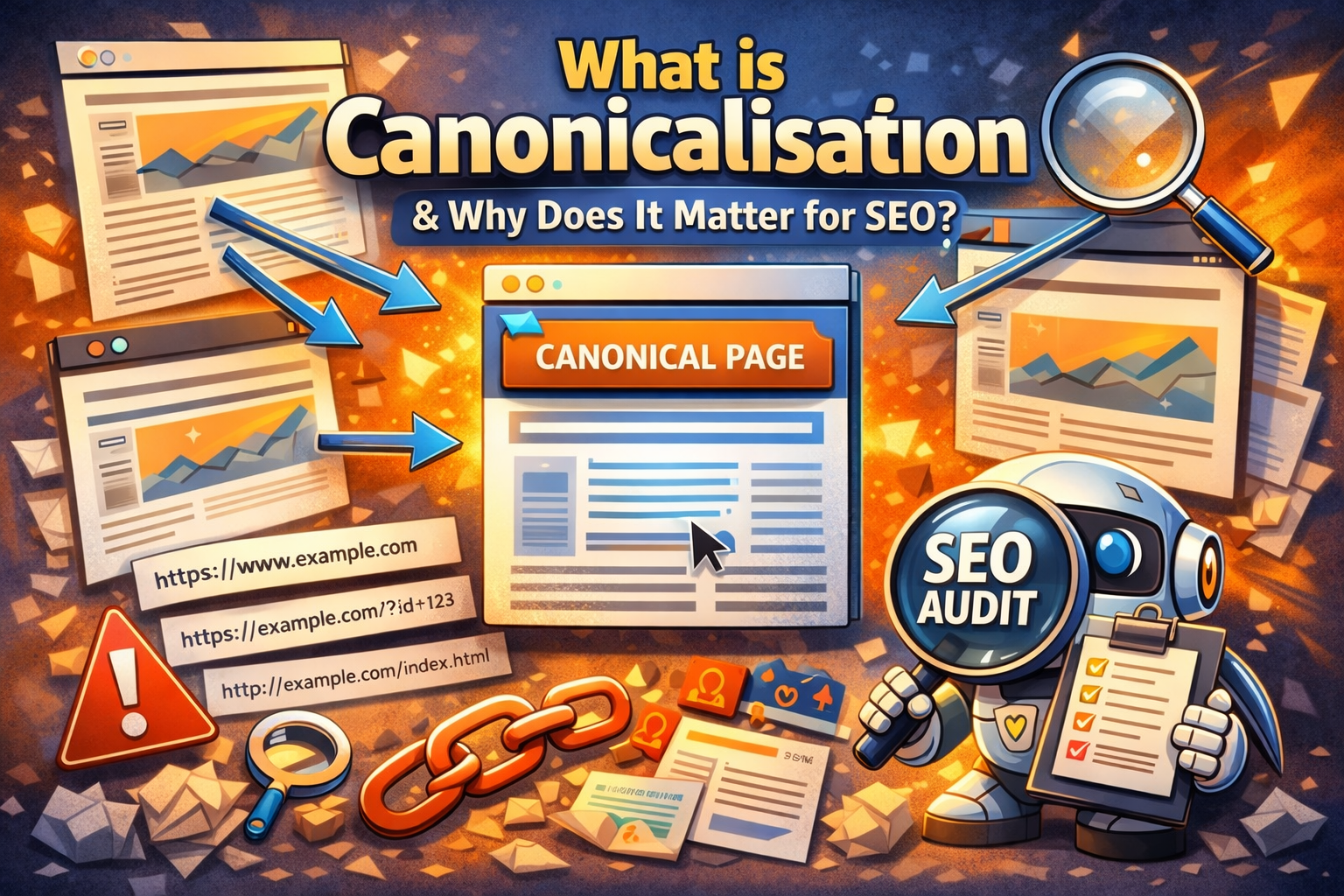
Canonicalisation is one of those SEO terms that sounds far more complicated than it really is — yet it’s responsible for holding back thousands of websites without the owner realising.
If you’ve ever wondered why your content exists but doesn’t rank as well as expected, canonicalisation could be part of the problem.
What does canonicalisation actually mean?
Canonicalisation is the process of telling search engines which version of a page is the main (preferred) one.
In simple terms, it answers this question for Google:
“If several URLs show very similar or identical content, which one should I rank?”
The preferred URL is known as the canonical URL.
Why do multiple versions of the same page exist?
Many website owners are surprised to learn how easily duplicate URLs are created. Common examples include:
https://example.comhttps://www.example.comhttp://example.comhttps://example.com/index.phphttps://example.com/?ref=facebook- Filtered or sorted product pages
To a human, these often look like the same page.
To a search engine, they can appear as separate URLs with duplicate content.
Why canonicalisation matters for SEO
If canonicalisation isn’t handled correctly, search engines may:
- Split ranking signals across multiple URLs
- Choose the wrong version of a page to rank
- Waste crawl budget indexing duplicates
- Lower trust due to excessive duplicate content
In short: your SEO effort gets diluted.
This is one of the most common issues uncovered during a free website SEO checker scan.
How search engines handle non-canonical pages
When search engines encounter duplicate or near-duplicate pages, they try to guess which one should be treated as the main version.
That guess isn’t always correct.
If Google picks the “wrong” URL:
- Your preferred page may not rank
- Backlinks may point to non-primary versions
- Performance tracking becomes messy
A proper seo audit ensures you’re in control — not leaving it to chance.
How canonical URLs work
Canonicalisation is usually handled using a canonical tag placed in the <head> section of a page:
<link rel="canonical" href="https://example.com/preferred-page/" />
This tells search engines:
“No matter how someone arrives here, this is the main version of the page.”
Canonical vs redirects (important distinction)
Beginners often confuse canonical tags and redirects, but they serve different purposes:
- Canonical tag
Keeps multiple URLs accessible but consolidates ranking signals - 301 redirect
Permanently sends users and search engines to another URL
Both are valid — choosing the right one depends on the situation. A good seo checker will usually flag when the wrong approach is being used.
Common canonicalisation mistakes
These show up again and again in SEO audits:
- Canonical tags pointing to the wrong page
- Self-referencing canonicals missing
- Canonical tags blocked by robots.txt
- Mixed HTTP / HTTPS canonicals
- Pagination pages canonicalised incorrectly
Even experienced site owners get these wrong — which is why regular checks matter.
How to check canonicalisation issues
The easiest way to spot problems is by running a free website SEO checker or full seo audit.
These tools can:
- Detect duplicate URLs
- Identify missing or conflicting canonical tags
- Highlight indexable pages without canonicals
- Flag canonicals pointing to non-indexable pages
Catching these issues early can result in noticeable ranking improvements without changing a single word of content.
Does canonicalisation affect indexability?
Yes — indirectly.
If canonicalisation is misconfigured, search engines may:
- Index pages you don’t want indexed
- Ignore pages you do want indexed
- Treat important pages as duplicates
That’s why canonical checks are a core part of any serious seo audit.
Canonicalisation isn’t flashy, but it’s foundational.
Get it right, and your content has a clear signal to rank.
Get it wrong, and even great pages can struggle to perform.
If you’re unsure whether your site is set up correctly, running a free website SEO checker is one of the quickest ways to uncover hidden canonical issues before they quietly hold your site back.
Share this content:

Post Comment